HP Visualize C3700
6 minutes read •
I was browsing eBay one day, looking for DEC/Compaq Alpha machines and despairing at the prices. Most machines were located in the United States, and because of that, the shipping to Canada was very expensive. Because of that, I started to look for other architectures, Sun Ultra, SGI ... HP Virtualize.
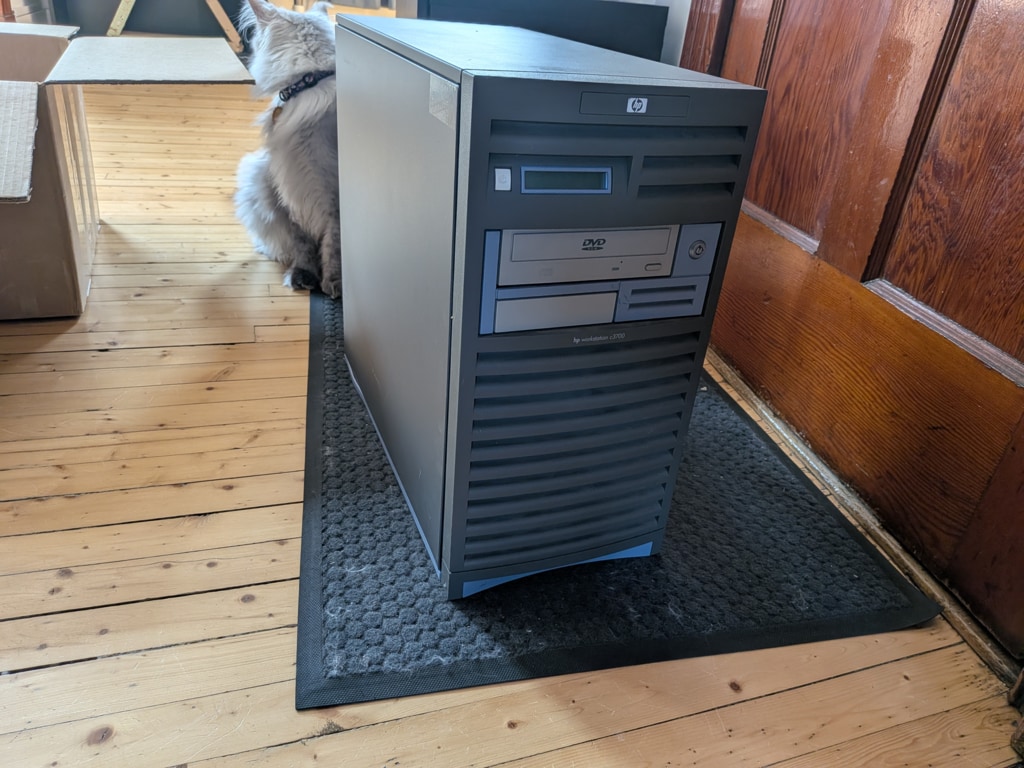
That's when I stumbled upon a deal that seemed too good to be true. A modern PA-Risc machine, located in Alberta Canada (so no surprise fees on shipping) and with a decent price! The machine was also in good cosmetic shape according to the photos. It only took 20 minutes for me to decide to get it.
The doubts
A day after paying the machine, some doubts were settling in. The shipping was so cheap, there's no way it covers such a big and heavy machine over a 3700 KM journey. What 80 Canadian dollars? No that's way too cheap. Also, the machine was accurately described (CPU speed, RAM spec) but the price was low! Comparable machines on eBay were more than twice the price. Oh well, at this price, I was okay to try it. And well... luck was on my side because I did received the machine!
First boot, angry boot
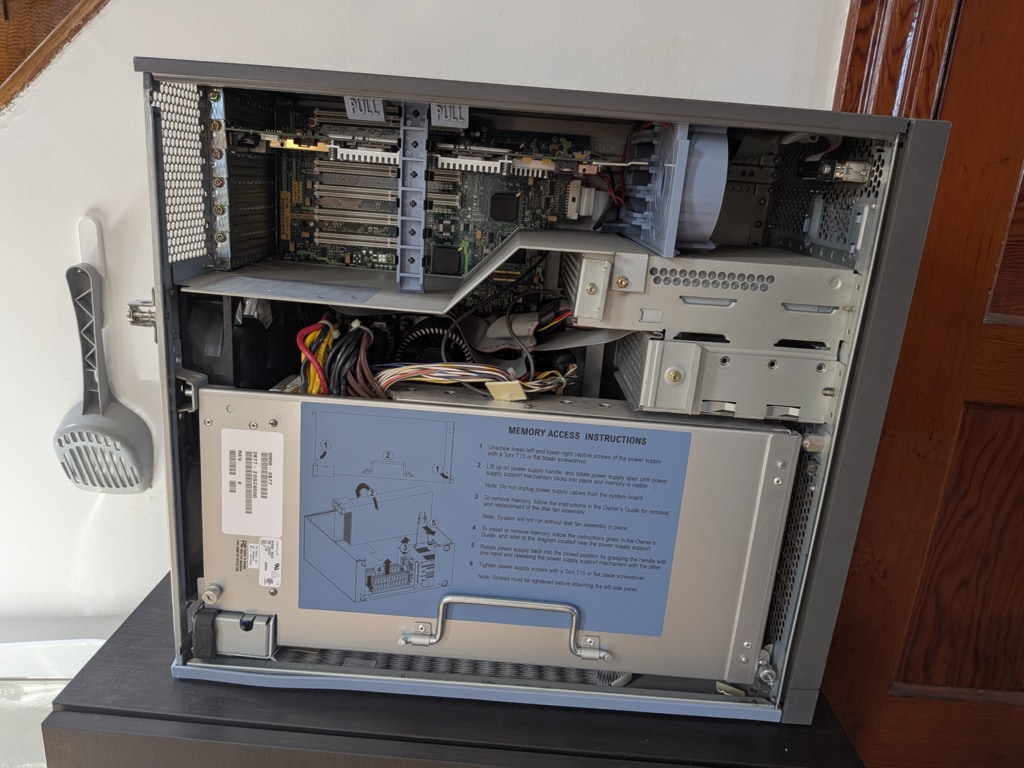
After a physical inspection both outside and inside without revealing any issues, it was time put some electrons in. Here it goes for the power aaaaand in!
Nothing.... Well that's a good thing, nothing went up to smokes. But oh, not nothing, the front panel LCD is displaying something!
■■■■■■■■■■■■■■■■
Okay, it's either normal or not, but it's not really useful. Let's push the power button!
TST 3000: SYS BD
ROM checksum tst
Yes, some positive signs of life! I figured it would take quite a while to boot up, so I watched passively around. It took about 5 minutes until the machine started to make angry beeps. 4 or 5 beeps that occurs every 30 seconds maybe? The primary display glitches at the same time that it beeps.
The front display shows that the system is booted... I guess it's time for the good ol' serial console!
Feeling like a hacker
I dug up the old RS-232 to USB cable, hook it to my laptop, start minicom and garbage I get! That's a sign of bad speed, but at least it is sign that I receive data. A couple of settings to change (9600 8N1), firing minicom again annnd victory!
After getting a serial console, things get pretty easy. The angry beeps shows their cause in the console. The X server is crashing at boot. That should be an easy fix... if I can log in! The machine didn't come with any credentials and the famous root/root or root/toor doesn't open the doors. Oh well, time to drop in single-user mode.
With your serial console connected (minicom -D /dev/ttypUSB0 -b 9600), turn on the C3700. If everything is working, you should see a message appearing in your serial session: To discontinue, press any key within 10 seconds.. That is your cue to press enter until you get presented with a question. Answer Y to that question. From what I understand, ISL is the equivalent of BIOS/EFI/OpenBoot. It let you perform some diagnostics, but also boot OSes.
From there, there's bunch of thing you can do, but if we want to launch HP-UX in single-user mode, the command to input is hpux -is. The mention "hpux" in this command refers to the boot entry named hpux in ISL. I suppose the next argument is passed to the kernel (or init image) to indicate single user mode.
Let it boot until you reach a # prompt and then you can go with passwd root. Once the new password entered twice (as instructed by the passwd application), type init 3 to reboot the machine and voilà! You have now access to the whole machine!
Installing software
Or at least trying to!
I located stone software for HP-UX on a dark corner of the internet and I wanted to see how one could install software on it. From my Linux machine, I downloaded the thing, formatted a thumb drive to fat32 (guessing it would be my best chance) and copied them. I then plugged the usb drive into the machine and waited a bit.... Nothing. Oh silly me! I was thinking ot would just auto-mount on CDE, but of course it doesn't! Next option is opening a terminal and mount it manually, so mount -t fat /dev/hda? sda? no? Okay, let's try /dev/rdsk/ tab tab... Just the hard drives?
Maybe something is showing in dmesg.. No?! Okay let's search on the web ...
Oh. Ohhhhhh! Oh 😔. Turns out HP-UX 11i doesn't support USB storage devices! 🤦 Okay so there's a dvd drive, I could burn a DVD-RW with software on it! I dust off my external Blu-ray burner and start burning 🔥📀. I put it in the drive and wait.. oh true, CDE will not mount it. I open the terminal and got no more luck. Maybe the drive doesn't support DVD-RW, that was frequent in early DVD drives.
I decide to burn OpenBSD for hppa on a regular CD-ROM and reboot.
Nope, the 'bios' refuse. It doesn't even spin the disc when trying to boot. Speaking of spin, it only spins when I insert it... And make some bearing noises.
Ok, time to pull the drive out and check it out.
.......
🤦🤦
The IDE cable was not even plugged in! So I plug it in and retry. This time the command SEA shows the DVD drive, so there's that!
But still no luck. It doesn't boot from disc. I even tried an HP-UX 11i copy but still the same result. I also notice that the drive retries to read it a couple of times before stopping. Maybe the laser is bad or the motor is weak.
Time to come up with a plan C. Let's connect this thing to the network. Before doing that however, I will change the root password and create a user with SAM, HP's equivalent to YaST.
Except SAM, when started through CDE crashes the desktop. Oh well, I still have a terminal, si I start SAM from there.
Would have been perfect if I was able to drag windows but the desktop crashed bringing the window decoration with it. Being soft-locked, I went on and pushed the power button. The system went through it's shutdown operation and stopped.
And that's it
Yes, that's it. The machine doesn't boot in its OS anymore. Without a drive to install a fresh copy of whatever OS, the machine is like a hefty paperweight now.
Next quest, finding a working ATA DVD drive!
Specs
- CPU: PA-RISC PA-8700 @ 750MHz
- RAM: 2Gb
- Video Card: HP Visualize FX10 Pro (A1299B)
- OS: HP-UX 11.11
Images
Sources
- How to reset password on Spiceworks -> Need to reset lost root password on HPUX 10.20